






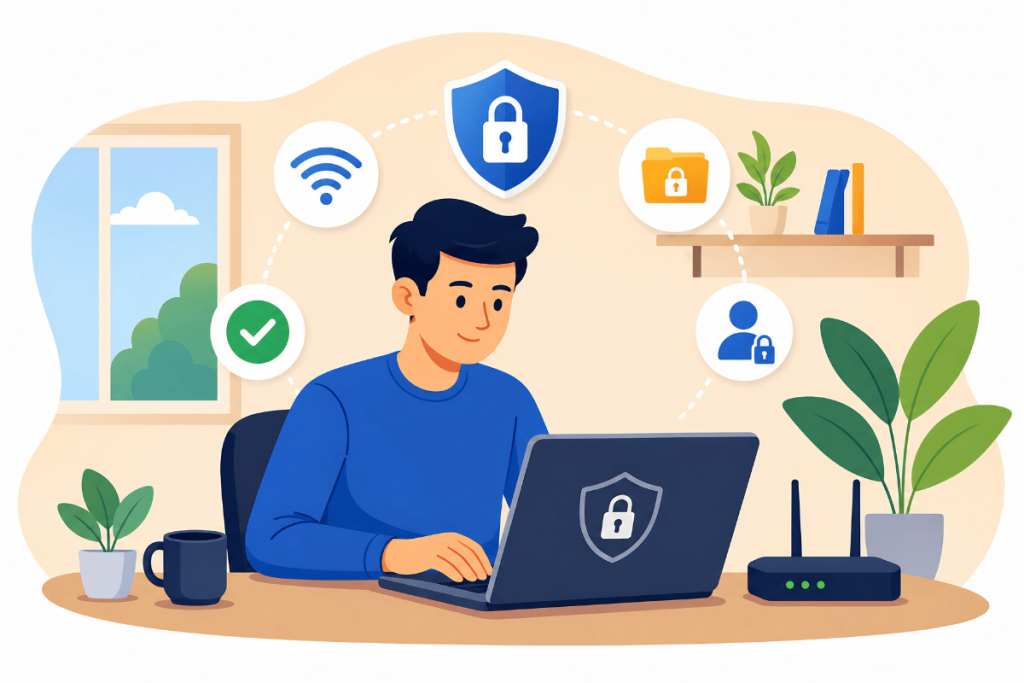

Remote work has transformed the modern workplace. Professionals can now work from home, cafés, coworking spaces, or even while travelling. While this flexibility improves productivity and work-life balance, it also introduces serious cybersecurity risks, as highlighted by recent global remote work statistics.
Remote workers often handle sensitive company data, client information, financial records, and personal accounts outside secure office environments. Without proper protection, hackers can exploit weak passwords, unsecured networks, or outdated devices to gain access to critical information.
This guide covers practical and effective security tips for remote workers, helping professionals stay safe online while maintaining productivity. Whether you are a freelancer, remote employee, or business owner, these strategies can significantly reduce your cybersecurity risks.
Why Remote Work Security Matters
Cybersecurity is no longer optional in remote work environments.
Businesses and individuals face increasing threats, such as:
- Phishing attacks
- Ransomware
- Data breaches
- Identity theft
Remote workers are especially vulnerable because they often rely on home networks and personal devices that may not have enterprise-level security, which is one of the most common remote job challenges today.
Strong security practices help:
- Protect sensitive data
- Prevent financial loss
- Maintain client trust
- Reduce business disruptions
Ignoring cybersecurity can lead to serious consequences for both professionals and organisations.
Common Security Risks for Remote Workers
Understanding common threats is the first step toward protection.
Weak Passwords
Simple or reused passwords make accounts easy targets for hackers.
Common mistakes include:
- Using personal names
- Reusing passwords across platforms
- Storing passwords insecurely
Public Wi-Fi Risks
Public networks in cafés, airports, and hotels are often unsecured.
Hackers can intercept the following:
- Login credentials
- Emails
- Financial information
Remote workers should avoid accessing sensitive accounts on public Wi-Fi without protection.
Phishing Emails
Cybercriminals frequently send fake emails designed to steal information.
These emails often:
- Imitate trusted brands
- Request urgent action
- Include suspicious links or attachments
Phishing remains one of the biggest cybersecurity threats for remote workers.
Unsecured Devices
Outdated software and unsecured devices create vulnerabilities that hackers can exploit.
This includes:
- Old operating systems
- Unpatched applications
- Missing antivirus protection
Regular updates are essential for remote work security.
Essential Security Tips for Remote Workers
1. Use Strong and Unique Passwords
Every account should have a strong password.
A secure password typically includes:
- Uppercase and lowercase letters
- Numbers
- Special characters
Avoid using the same password for multiple accounts.
Best Practice:
Use a password manager to store and generate secure passwords safely.
2. Enable Two-Factor Authentication (2FA)
Two-factor authentication adds an extra layer of security.
Even if a password is compromised, attackers still need a second verification method.
2FA can include:
- SMS codes
- Authentication apps
- Biometric verification
This significantly reduces unauthorised access risks.
3. Avoid Public Wi-Fi or Use a VPN
Public Wi-Fi is one of the most common security risks for remote workers.
If public internet access is necessary:
- Use a VPN (Virtual Private Network)
- Avoid accessing financial accounts
- Never share sensitive information on open networks
VPNs encrypt your internet traffic, making it harder for attackers to intercept data.
4. Keep Devices and Software Updated
Software updates often include security patches that protect against vulnerabilities.
Always update:
- Operating systems
- Browsers
- Antivirus software
- Applications
Automatic updates help ensure devices remain protected.
5. Recognize Phishing Attacks
Learning how to identify phishing attempts is critical.
Watch for:
- Suspicious email addresses
- Grammar mistakes
- Urgent requests
- Unknown attachments
When in doubt, verify the sender before clicking links.
Remote Work Security Checklist
| Security Practice | Why It Matters |
| Strong Passwords | Prevents unauthorized access |
| Two-Factor Authentication | Adds extra account protection |
| VPN Usage | Secures internet connections |
| Regular Software Updates | Fixes security vulnerabilities |
| Antivirus Protection | Detects malware and threats |
| Secure Cloud Storage | Protects files and backups |
| Phishing Awareness | Reduces risk of scams and attacks |
Secure Your Home Office Setup
Remote work security extends beyond digital protection, especially during the transition from office to remote work.
Protect Your Wi-Fi Network
Use:
- Strong router passwords
- WPA3 encryption
- Updated router firmware
Avoid using default router settings.
Separate Work and Personal Devices
Mixing personal and professional use increases security risks.
Whenever possible:
- Use dedicated work devices
- Separate work accounts from personal accounts
This minimises exposure to unnecessary threats.
Lock Devices When Away
Always lock devices when stepping away from your workspace.
This prevents unauthorised access from the following:
- Visitors
- Family members
- Shared environments
Even short absences can create vulnerabilities.
Best Tools for Remote Work Security
Using the right tools improves overall cybersecurity.
Password Managers
Password managers:
- Generate strong passwords
- Store credentials securely
- Reduce password reuse
VPN Services
VPNs encrypt online activity and protect sensitive data while using remote networks.
Antivirus Software
Reliable antivirus software helps:
- Detect malware
- Prevent ransomware
- Protect downloads and files
Secure Cloud Storage
Cloud storage platforms with encryption improve file security and backup protection.
Security Best Practices for Freelancers and Remote Teams
Freelancers and remote businesses face additional security responsibilities.
Secure Client Data
Always protect:
- Contracts
- Financial documents
- Personal information
Client trust depends heavily on data security.
Use Secure File Sharing
Avoid sending sensitive files through unsecured channels.
Use:
- Encrypted storage
- Password-protected links
- Secure collaboration tools
Create Security Policies
Remote teams should establish clear security guidelines for:
- Password management
- File access
- Device usage
Consistent policies reduce organisational risk.
How Platforms Support Secure Remote Work
Modern remote work platforms help professionals manage workflows securely while reducing operational complexity. A structured platform improves organisation, communication, and collaboration while supporting safer remote work practices.
Platforms like Ojiiz help remote professionals and businesses streamline workflows, manage opportunities, and maintain organised communication in remote environments. Simplifying processes and reducing manual effort, it enables teams to focus more on productivity while supporting secure, efficient remote work operations. For more information or support, simply contact us through the platform.
Mistakes Remote Workers Should Avoid
Even experienced remote professionals make security mistakes.
Ignoring Updates
Skipping updates leaves systems vulnerable to attacks.
Sharing Passwords
Never share passwords through email or chat applications.
Downloading Unknown Files
Unverified files may contain malware or spyware.
Always verify downloads before opening them.
Using Weak Security Settings
Default settings often lack strong protection.
Customise security settings whenever possible.
The Future of Remote Work Security
As remote work continues growing, cybersecurity will become even more important.
Future trends include:
- AI-powered threat detection
- Biometric authentication
- Advanced endpoint protection
- Smarter VPN technologies
Businesses that prioritise remote security early will significantly reduce long-term risks.
Conclusion
Remote work offers flexibility and freedom, but it also creates new cybersecurity challenges. From phishing attacks to unsecured Wi-Fi networks, remote professionals face risks that require proactive protection.
By using strong passwords, enabling two-factor authentication, securing devices, and following cybersecurity best practices, remote workers can significantly reduce vulnerabilities and protect sensitive information.
Security is not a one-time setup; it’s an ongoing process. Staying informed, updating systems regularly, and using secure platforms will help professionals work safely and confidently in the evolving remote work landscape.
Frequently Asked Questions (FAQs)
1. How can remote workers stay secure online?
Remote workers can stay secure by using strong passwords, enabling two-factor authentication, avoiding public Wi-Fi, and keeping software updated.
2. Is a VPN necessary for remote work?
Yes, a VPN helps encrypt internet traffic and protects sensitive information on remote networks.
3. What is the biggest security risk for remote workers?
Phishing attacks and unsecured public Wi-Fi are among the biggest cybersecurity risks for remote professionals.
4. Why are software updates important for security?
Updates fix vulnerabilities and improve protection against cyber threats and malware.
5. Should freelancers invest in cybersecurity tools?
Absolutely. Freelancers often handle sensitive client data and should prioritise cybersecurity protection.
6. How does Ojiiz support remote professionals?
Ojiiz helps remote professionals streamline workflows, manage communication, and maintain organised remote work operations more efficiently.
7. Is Ojiiz useful for remote teams?
Yes, Ojiiz supports remote collaboration by simplifying workflows, improving organisation, and helping teams manage opportunities more effectively.
8. What is the best way to secure a home office?
Use strong Wi-Fi passwords, enable encryption, update devices regularly, and avoid sharing sensitive information on unsecured networks.